Facilitators view
Wanted to share real quick how Global Threat Model Together Day 2025: What we modeled, what we learned - Events & Highlights - Threat Modeling Connect Forum shows how facilitators used ThreatPad for multiple sessions:

ThreatPad is slim because of it’s mobile-first design.
Also, it can be embedded in an iframe.
We made a facilitators bird’s eye view that observed the sessions as new threats and mitigations kept coming in. 
The feature is not official. It’s just what everyone can do by creating multiple spaces and embedding.
If you want to do the same, you may want to add the URL parameters ?bottom&refresh=10. bottomscrolls to the bottom in the overview when new things arrive. refresh=10refreshes every 10 seconds. With the normal long-polling style, most browsers only handle 7 parallel requests.
Yet another success
The whole Global Threat Model Together Day 2025: What we modeled, what we learned - Events & Highlights - Threat Modeling Connect Forum was a huge success with ThreatPad being a part of it.
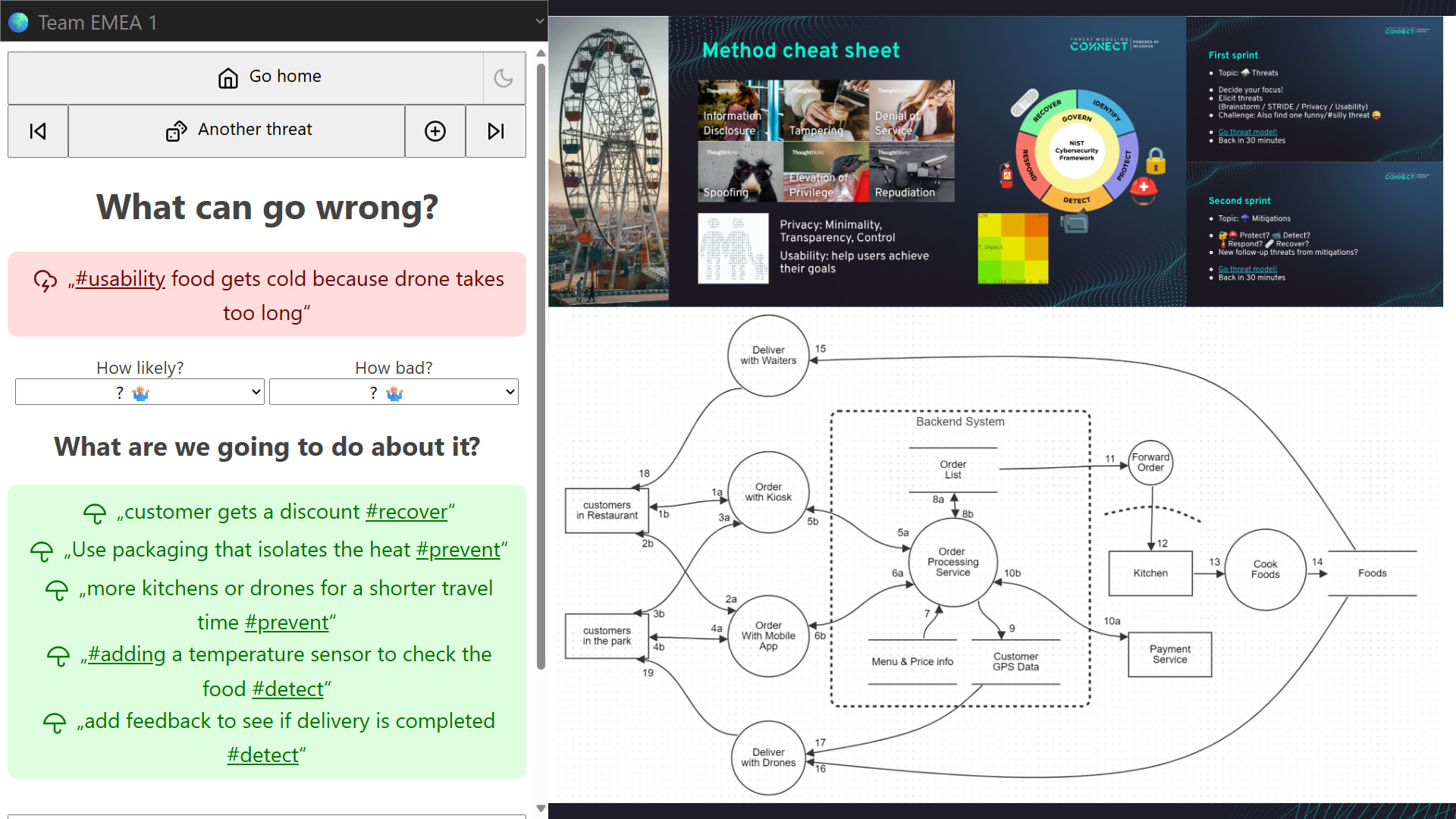
Here’s the setup and screen that facilitators shared. It has ThreatPad on the left, where threats and mitigations were gathered. It has enough space for system diagram, method cheat sheet and instructions on the right.
This is similar to what we did in Online Dating Security +  TMC DACH Threat Modeling Feierabend - Events & Highlights - Threat Modeling Connect Forum:
